

aiProfile, YWAM Base & Personnel
Using aiProfile to Manage People for a YWAM Base.
People
In aiProfile -> Admin -> Locations -> choose 2. your bases DTS. Either the Parent or one of the children
- Parent: You will have a Parent DTS location.
- Child: You will have a Child DTS location for each DTS you run; past DTSs can be disabled to clean up the Location Screen.
- Name: Give your DTS a meaningful name.

- 2.2025.10 Discipleship Training School, Cebu, October 6, 2025
- 2 because the second kind of locations for a Base would be DTSs, 3 would be for Upper Schools, and 1 for the base.
- 2025.10 to help order things by data
- Discipleship Training School, Cebu, (humans like helpful information)
- October 6, 2025, and of course, the date.
- 2.2025.10 Discipleship Training School, Cebu, October 6, 2025
Type & Category
What Type of Location is this? Categories , Email & Parent.
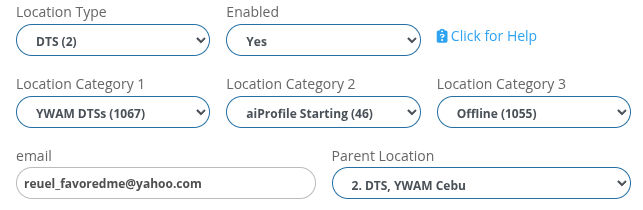
- Your Answer will determine the kinds of questions you see in the Location Child Records and the Location Information Records.
- Enabled: Schools that are finished that you no longer want to see in the Locations List can be disabled and will disappear. You can get them back again.
- Click for Help: Whenever you see this, you will be taken to a help page to learn how to use this feature.
- Three Category Options: You can have up to three different categories, which is useful for working and reporting.
- Email: The email address you put in here is the 'reply-to' address we will use to send emails from this screen, and when people apply. You can enter any email address you like here. We suggest that the person whose email address appears here has an Administrator account with your website.
- Parent Location: Do give all Locations a Parent. The only one you can not will be the singular Baee Location.
Can People Register?
Does this Location allow People to Register?
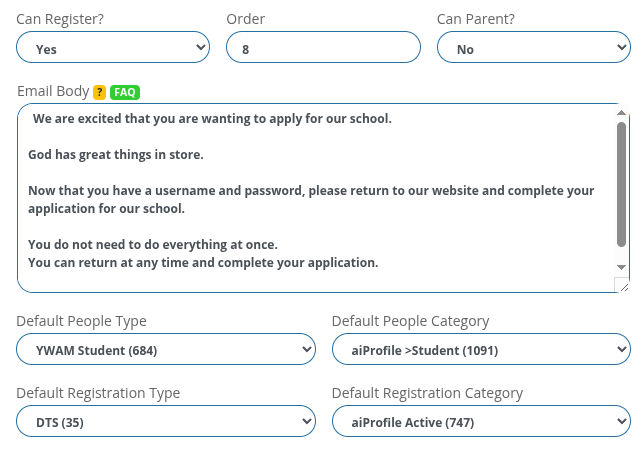
- Can Register? No, this location will not appear on the Registration page of your website.
- Order: The lower the number, the higher they appear on the list, with 0 being the highest.
- Can Parent: Set the main location at your base to 'Yes', such as the Base, DTS, Upper Schools, etc.
- Email Body: The Text you put in here will go out when a person registers with this Location / School / As Staff / Seminar.
- Default People Type, People Category, Registration Type, Registration Category: When a person registers, these are the default settings put against their People Record and Registration Record.
Other Areas
Comment &...
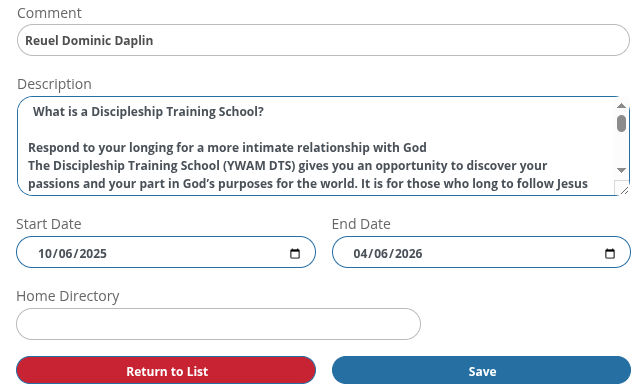
- Comment: Store useful information here.
- Description: This will appear on the Registration Page.
- Start Date: This will appear on the Registration Page.
- End Date: This will appear on the Registration Page.
- Home Directly: A special Super Administrator Field, please do not edit.
- Return to List: Returns you to the Location list WITHOUT SAVING!
- Save: Jesus always saves, and so should you.
Child Records
Child Records
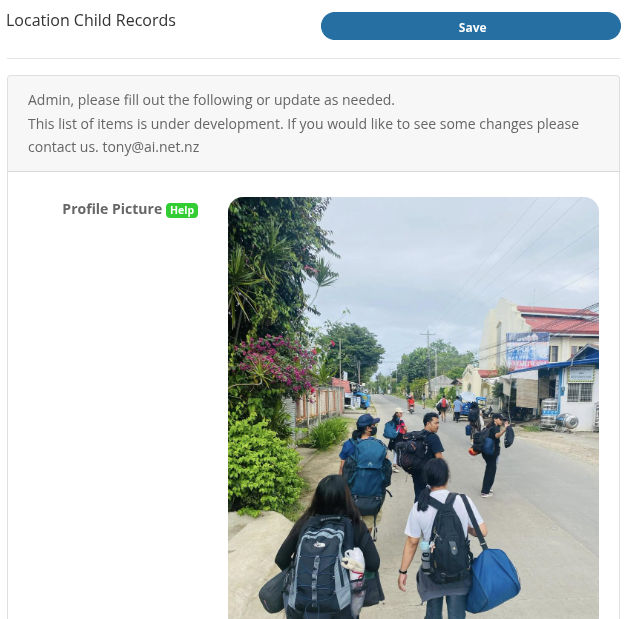
- This list can go on for quite a while.
- Please try and answer all questions to the best of your ability.
- Got a problem? Let's have some one on one.
https://tca.ywam.life/one-on-one
Information Records
Information Records
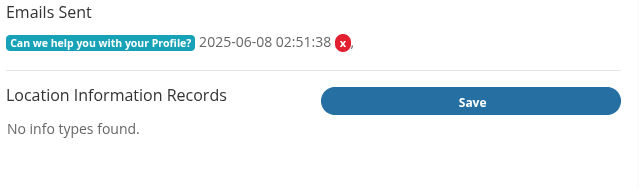
- Emails Sent: First you get to see if any emails have been sent from an Administrator to the owner of this Location.
- There may or may not be some more recrods for you to fill out for this location.
- Got a problem? Let' have some one on one.
https://tca.ywam.life/one-on-one